
NotebookLM, Google’s research platform, now has a new way to handle data. The new Data Tables feature helps people sort through and understand the notes and sources they’ve collected. NotebookLM can now gather data from many sources and organize it. The tool creates clear, useful formats from scattered research. Platform progress has been significant.
NotebookLM adds a powerful feature for data tables.
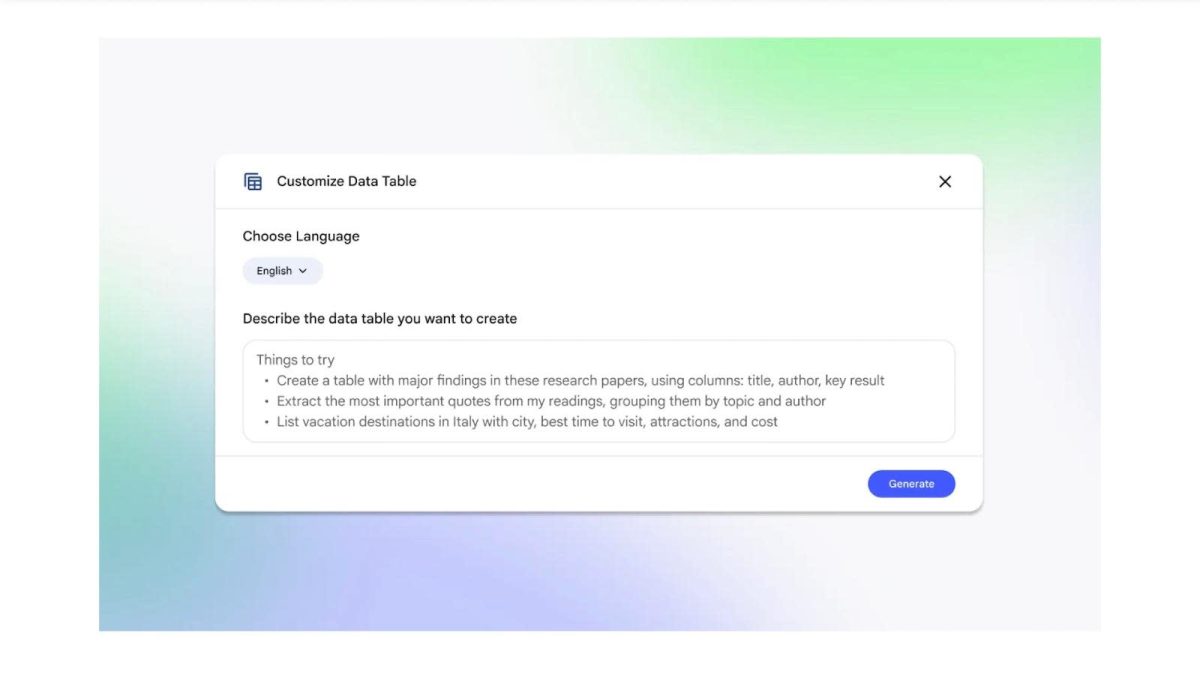
The new Data Tables feature in Google Notebook can pull numbers and facts from several sources. It puts all this information into a single, easy-to-read chart. This makes it much easier for users to compare and analyze research. You can send these charts straight to Google Sheets to continue working on them. Engadget says that all Pro and Ultra users can use it right away. In the following weeks, everyone else will be able to use the feature.

There are many useful ways to use this Google Notebook tool. You could put together random notes, make charts that compare prices, or combine the results of different projects. Use everyday language to describe the table you need.
This new feature follows NotebookLM’s recent release of Deep Research mode. Last year, Google’s Gemini chatbot was the first to use that mode. It helps with tough questions. These updates make NotebookLM a better place to work together.
In short, the Data Tables feature makes Google LM much more useful for users. It changes the platform from a simple note-taking app to a powerful analysis tool. This step sets NotebookLM apart from other AI assistants that are competing with it.