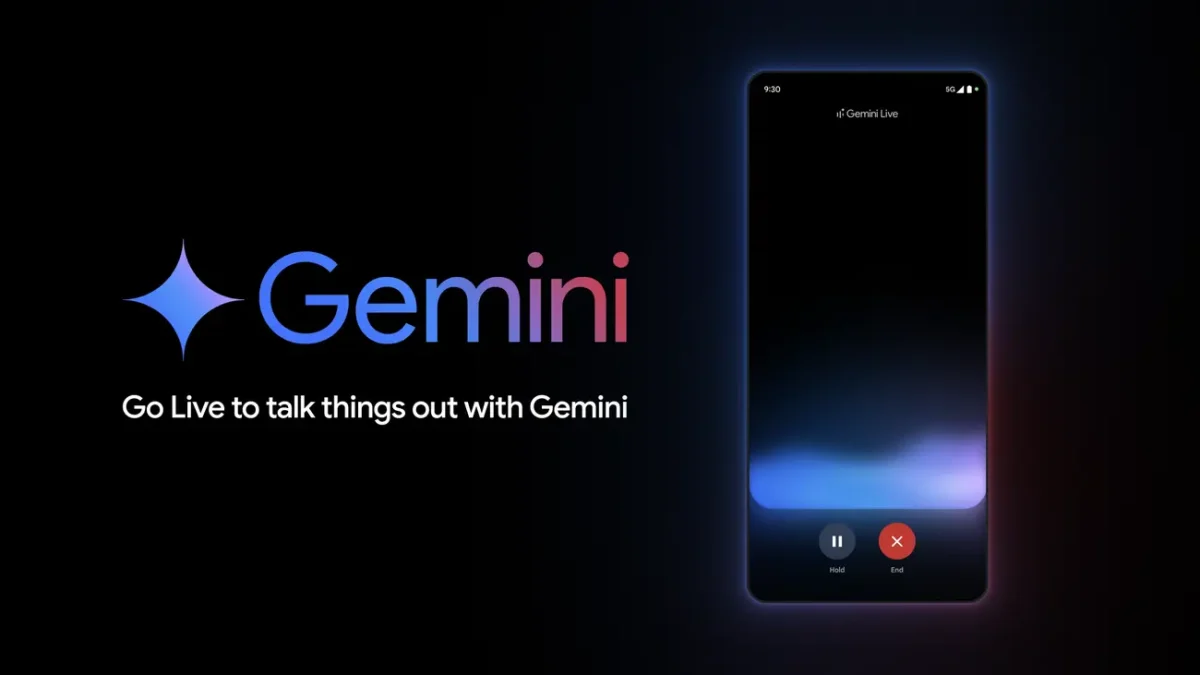

The Gemini Live floating pill redesign is a new Android user interface update that replaces the old fullscreen mode with a small, movable control panel. This feature lets people do more than one thing at once while still talking to Google’s AI. It also gives them easy access to microphone and screen-sharing tools.
Gemini Live floating pill redesign: A new era for multitasking
Google is transforming how users interact with its AI assistant on Android by rolling out the Gemini Live floating pill redesign. Since its launch, Gemini Live has dominated the screen, demanding full user attention.
Now, this update introduces a flexible, non-intrusive interface that lets you continue using other apps while chatting with Gemini. According to 9to5Google, this feature is currently seeing a wider rollout for beta users and is beginning to appear on stable versions of the Google app.

This change makes the status bar indicator change from a static one to an overlay that moves and responds to user input. The new design for the Gemini Live floating pill aims to make AI help more natural and less annoying, which is how people work these days.
How does the Gemini Live floating pill redesign work?
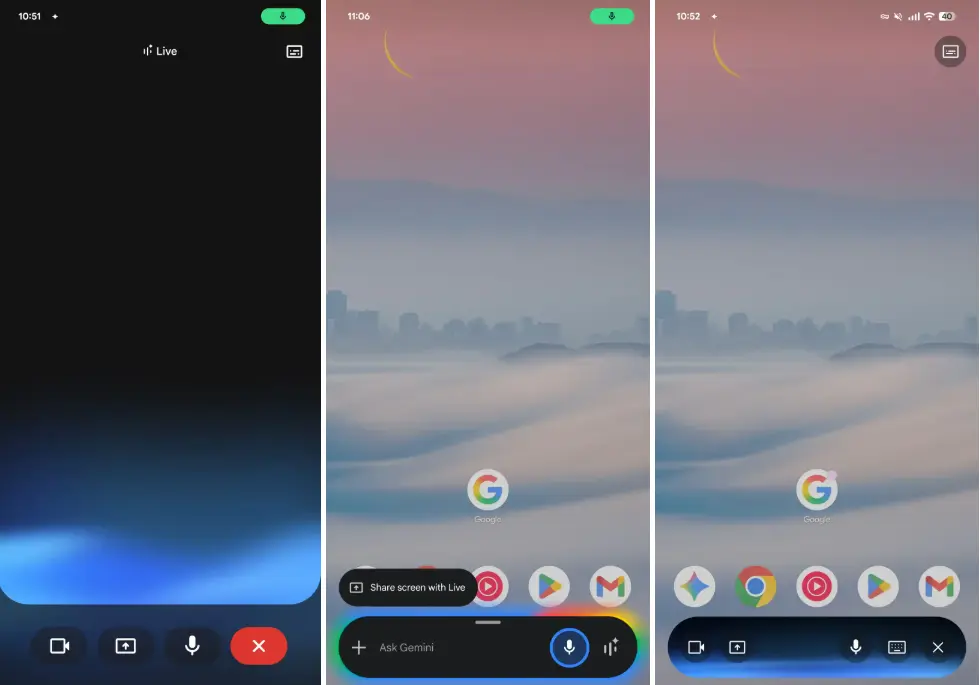
The core functionality of the Gemini Live floating pill redesign centers on flexibility. When you exit the fullscreen mode, the interface shrinks into a compact “pill” shape that visually matches the standard Gemini text overlay. This new container floats over your other apps, allowing for true background usage.
If you leave the active conversation, the pill shrinks into a small circle that looks like a “chathead” or bubble that you can move around the screen. If you tap this circle, it will go back to the pill view. If you swipe it down, the session will end completely.
Some of the most important controls and features of the new Gemini Live floating pill are:
- Visual Feedback: The container shows the Gemini Live waveform in the background to show that you are actively listening.
- Text Transcriptions: A transcript of the conversation is right above the pill and can be turned on or off.
- Essential Controls: Users can quickly mute the microphone, end the session, or start sharing their screen or camera.
- Seamless Transitions: The keyboard icon lets you switch to the standard Gemini text overlay right away if a conversation hasn’t started yet.
Rollout status and version details
The redesign of the Gemini Live floating pill is coming out in stages. The feature was only available to a small group of testers at first, but it is now available to a larger group.
- Beta Users: The update is available to most people who are using the Google app beta, version 17.7.
- Stable Users: Reports say that the redesign is also showing up in the stable version of the Google app (version 17.3).
The update keeps the option to go back to the classic fullscreen interface by opening the main Gemini app, but the Gemini Live floating pill redesign is clearly meant to be the default for multitasking. For now, video sharing still uses the full UI, which is interesting because it gives visual tasks the screen space they need.
Why power users should care about this update
The new Gemini Live floating pill redesign is a big step toward Google’s bigger goal for AI. This interface is very similar to “Project Astra” demonstrations, which is Google’s plan to make a universal AI agent that can see and understand what is on your screen or in your camera view in real time.
Advantages of the new design:
- More productive: Users can read emails, articles, or maps while talking to Gemini on the phone.
- Interactions with Computer Use: The floating circle is perfect for “computer use” situations where the AI helps with tasks on the screen without blocking the content it is looking at.
- Quick Access: You can always reach the controls, but they are never in the way because you can expand or collapse the UI.
While we wait for the next big Gemini Live model update, this redesign of the interface makes it easier for Android users to use AI in a more seamless and integrated way.
FAQs
Q: How do I get the new floating pill to work in Gemini Live?
You can get to it by tapping the Live icon on the Gemini overlay or by starting a fullscreen Gemini Live session and then swiping home to close the app.
Q: Can you take the text transcript off of the floating pill?
You can turn on and off the text transcription by clicking the buttons in the top right corner of the overlay on the new Gemini Live floating design.
Q: Will the new design work on all Android devices?
People who have the beta version of the Google App (17.7) are getting it now, and it is starting to show up on stable versions (17.3). But not all devices might be able to get the update.
Conclusion: The new look of the Gemini Live floating pill redesign is a big step forward for AI on phones and tablets. You don’t have to open and close Gemini anymore. It’s like having a friend who is always there for you.