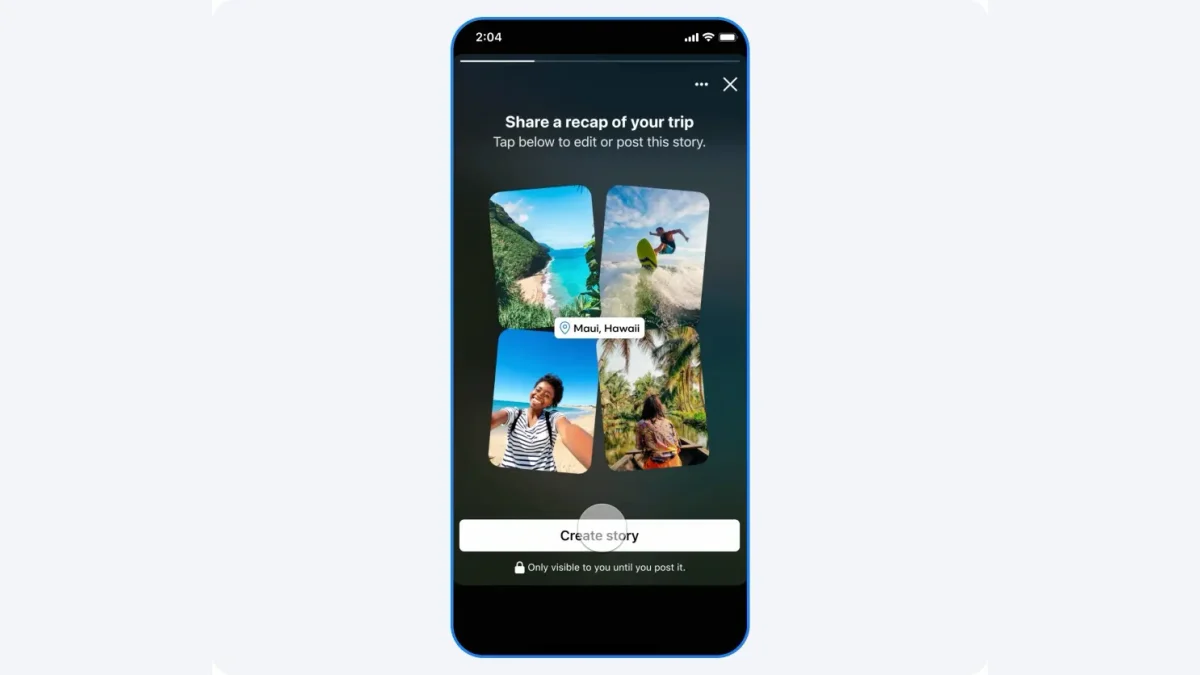

Meta has added a new Facebook AI feature that scans the photos on your phone and suggests edits and collages for pictures you haven’t even shared yet. All users in the U.S. and Canada can now use this opt-in tool, designed to make it easy to create “shareworthy” content. However, to utilize this feature, you must grant Meta’s AI continuous access to your private photos.
The Facebook app will ask you to “allow cloud processing” so it can get “creative ideas made for you from your camera roll” if you choose to do so. This means the app will keep sending pictures from your device to Meta’s cloud, where its AI can analyze them and make suggestions like themed collages, video recaps, AI restyling, and birthday-themed edits. The company says this feature is meant to bring to light “hidden gems” that are “lost among screenshots, receipts, and strange snaps.”

How Facebook AI uses your Data and the Privacy consequences
This feature promises to make creative tasks easier, but it also raises important privacy concerns. For it to work, you have to upload your unpublished photos to Meta’s servers. Meta tells you that your media “won’t be used for ad targeting.” But the company’s policy makes it clear that your private photos can be used to improve its AI, provided you edit them with its AI tools or post the edited version on its social network. Your media won’t be used to train AI if you just let the feature browse your photos and show you suggestions.
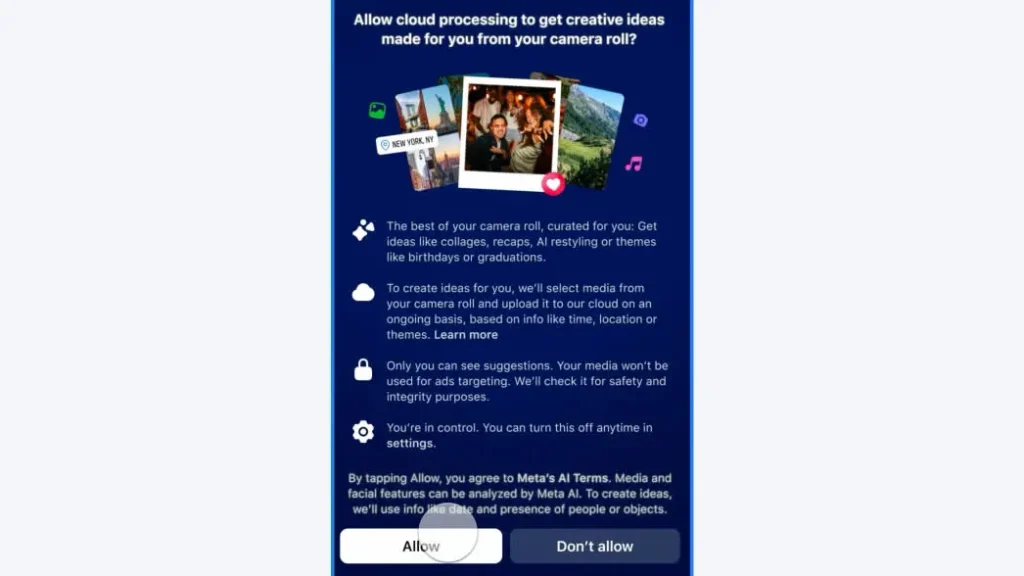
When you agree to the Meta AI Terms of Service, you give Meta’s AI permission to look at your media and facial features to “summarize image contents, modify images, and generate new content based on the image.” The company also uses metadata, such as the date and the presence of people or objects in your photos, to provide its suggestions. This gives it a lot of information about your personal life and relationships.
Some users have said that the settings for this feature were already on for them, which makes people wonder what the default state of this sensitive permission is. You can turn off the feature at any time. To see your settings, go to Facebook’s Settings, then Preferences, and look for the page that says “Camera roll sharing suggestions.”

There are two toggles there: one lets Facebook suggest photos while you browse, and the other lets “cloud processing” happen, which lets Meta’s AI make images using your camera roll photos. If you value your privacy, turning these off will keep your private photos on your device.