
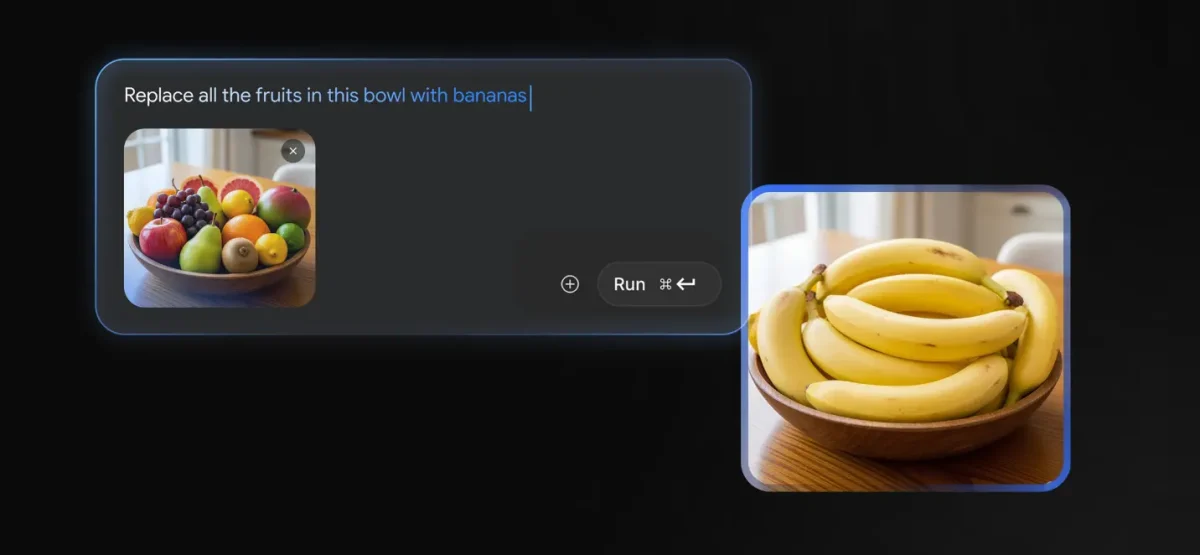

Google is making its viral Nano Banana image model available to more people by adding it directly to Google Lens and the AI Mode in Search. This change gives users access to powerful AI editing and generation tools right where they are on their phones, not just in the standalone Gemini app.
A beta version of the Google app for Android first showcased the integration. This indicates that Google is working hard to make AI image creation a big part of the Google experience.
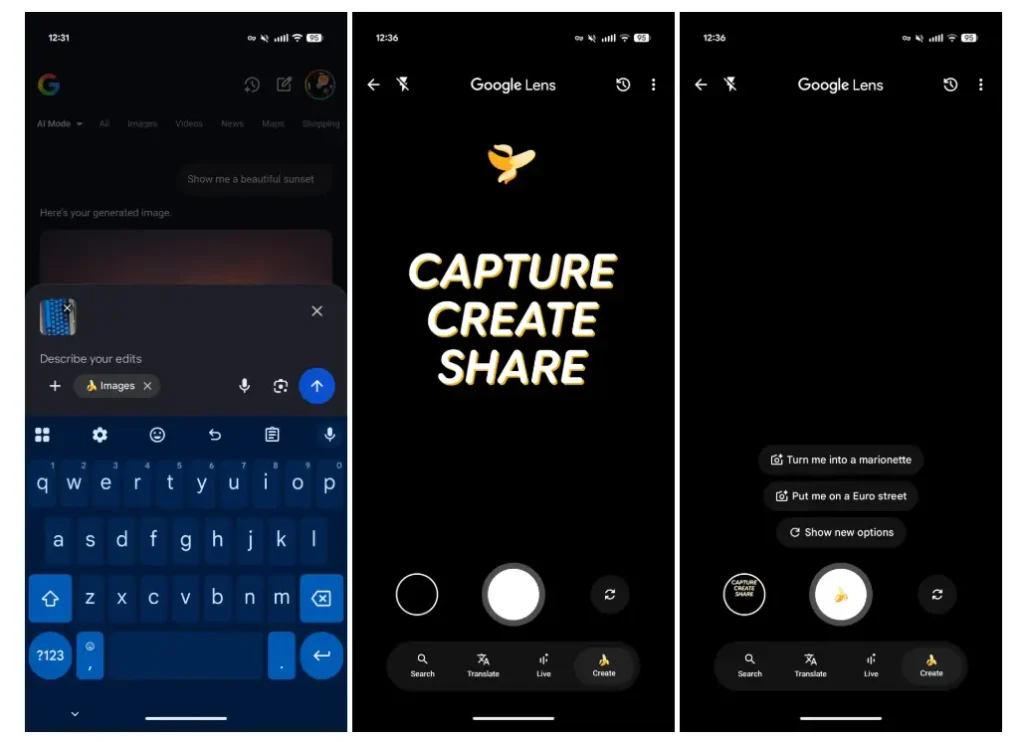
When you use Search’s AI Mode, the new features show up as a small but important change to the interface. The voice input and Lens icons have moved to the right, and a new “+” icon is now in the bottom-left corner of the prompt box. When you tap this new button, a menu appears with the option to “Create Images,” which has a banana emoji next to it.
You can use this menu to get to your gallery, take a picture, or start making something with Nano Banana. When you choose “Create,” the hint text changes to “Describe your image,” which encourages you to make a new picture from text or change an existing one that you give.
Nano Banana is now available in Google Lens thanks to a new Creative Tab
Google Lens, the company’s visual search tool, has the most prominent integration. A new “Create” tab has appeared in the navigation bar after a recent redesign that moved text labels below their icons.

The banana logo on this tab encourages people to take pictures, make things, and share them. You can take a picture by tapping the shutter button, which also has a banana emoji on it. The Create filter defaults to the front-facing camera for selfies, but you can switch to the back-facing camera if you like.
Once you take a picture, it goes right into the AI Mode’s prompt box. There, you can type in a text description to change or edit the picture using Nano Banana’s advanced features.
The technology that makes creativity possible
Nano Banana is a playful name for Google’s Gemini 2.5 Flash Image model from Google DeepMind. It’s also a user-friendly name. Users highly rate this model as an image editing tool, praising its ability to maintain a subject’s likeness across multiple edits.
The model makes sure that characters, whether they are people or animals, still look like themselves, whether they are wearing a different outfit, changing jobs, or putting their pet in a new situation.
It can process both text and images at the same time because it has native multimodal capability. This lets it do complicated things like combining multiple photos, making “pixel-perfect” edits on specific parts, and understanding vague instructions by using what it knows about the real world.
These new Nano Banana features are already available in Google Lens and AI Mode on Android for users in the US who have an account in the AI Mode Search Lab. This growth is part of a larger global effort.
For example, Google recently added AI Mode to 35 new languages and over 40 new countries and territories, bringing the total number of languages and countries where it is available to 200. Google is betting that people are now ready to unleash their creativity directly from their search bar, thanks to its increased integration.