
Apple has officially stopped supporting the Clips app, its stand-alone video editing app. The company quietly removed the app from the App Store and said it would not receive any further updates. This marked the demise of a tool that sought to simplify and enhance the enjoyment of creating social media videos.
The official change went into effect on October 10, 2025, and new users could no longer download Clips. If you already have the app on a device running iOS 26, iPadOS 26, or an earlier version, you can still use it for now. Users who have already bought it can also download it again from their purchase history in the App Store.
A look back at the Clips App
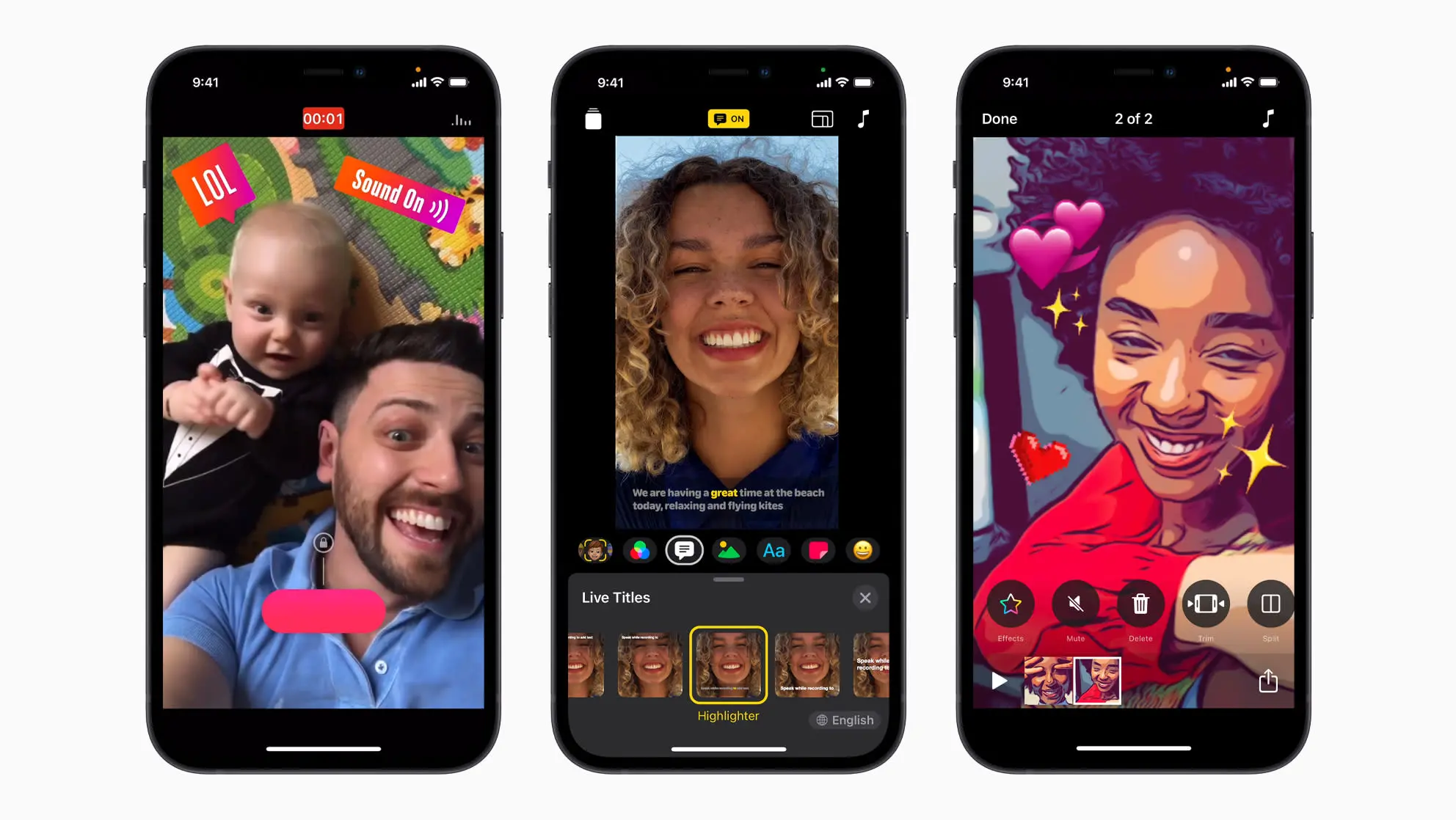
Apple launched the Clips app in 2017 to compete with the growing trend of short, shareable videos on platforms like Snapchat and Instagram Stories. The app didn’t have a social network, but it made it easy for users to put together photos and videos with filters, animated captions called “Live Titles,” music, emoji, and augmented reality effects that added personality. Its main feature was its simplicity, which allowed videos to be made without complicated timelines or editing tools.
Over the years, the Clips app has gotten a lot of great updates, like support for Memoji and Animoji, and advanced AR effects that use the LiDAR scanner on some iPads and iPhones. The app had a fantastic start, with hundreds of thousands of downloads in the first few days. However, its updates recently have mostly been bug fixes, and it hasn’t been able to stay at the top of the competitive mobile video editing market.

Save your creations before it’s too late
The app will likely stop working in future versions of iOS if it doesn’t receive any updates. Apple is actively telling users to save their Clips videos to avoid losing them. You have two main ways to keep your work safe. The “Save Video” or “Save to Files” options in the Share menu let you save the entire video, including all effects, to your device’s photo library or to a service like iCloud Drive.
If you want the original raw footage without any changes, you can also open a project, select a clip, and use the “Save Clip” option to save the original video to your Photos app. Apple’s support page lists several other apps for video editing, including its own iMovie and third-party apps such as InShot, VN Video Editor, and GoPro Quik.
The end of the Clips app shows how challenging it is for standalone creative apps to compete in a market that is now full of powerful AI-driven video generators and social media tools that work together.