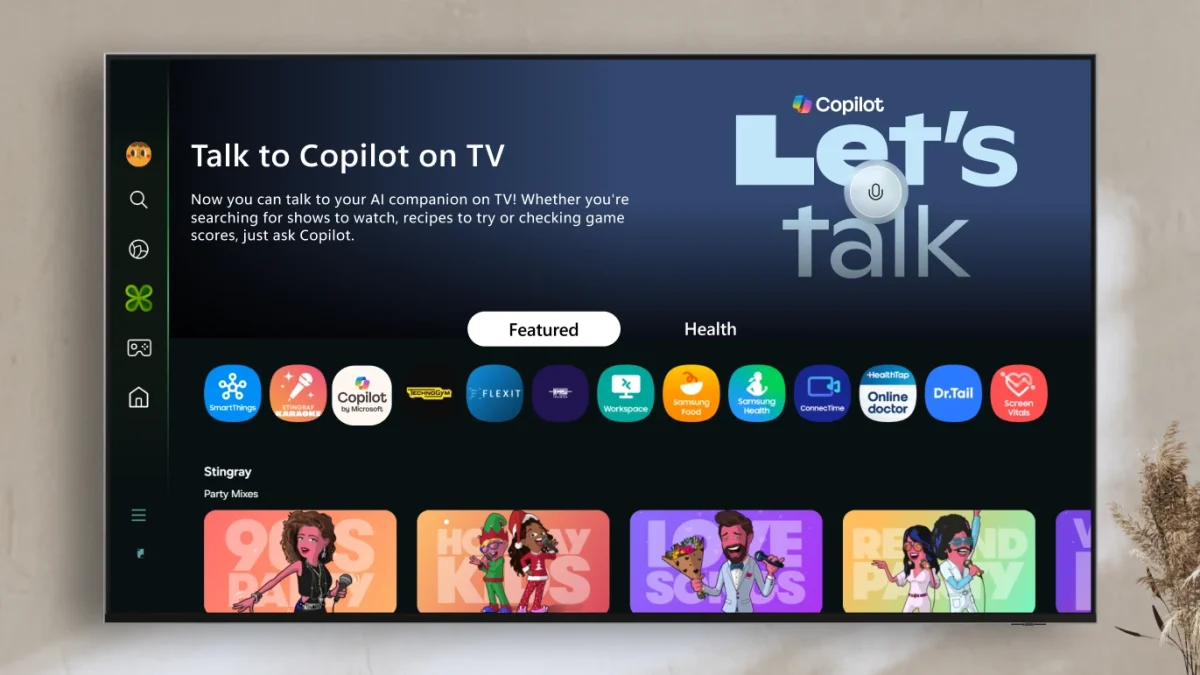

The AI assistant Microsoft Copilot, which comes with Windows and Microsoft 365, can now be used in your living room as well. Microsoft has said that some Samsung TVs will get Copilot, which will let users talk to the TV to ask questions and get suggestions. This AI assistant appears on the TV screen as a friendly, talking blob, making the experience more engaging to watch.
Microsoft says that Copilot can summarize the shows you’re watching, suggest movies you might like, and answer all sorts of general questions. The talking blob’s mouth moves along with the voice, making the game more fun and interactive. The answers are not just spoken out loud. Microsoft Copilot can sometimes display useful images on the screen, such as a card with a movie summary or the Rotten Tomatoes score.
This makes it easier to get all the information you need at once. Microsoft Copilot can be used on any Samsung TV without a Microsoft account. The AI gets smarter and more personalized for you if you sign in with a Microsoft account. However, it can remember what you’ve asked before and provide more relevant assistance based on your previous inquiries. The blob look for Copilot is part of a bigger change that Microsoft made in 2024. The chatbot is now friendlier and more personalized thanks to the new look.

Microsoft doesn’t just want Copilot to be a tool for getting work done; they want it to be a friend with a personality that you can change in the future. You can’t fully customize Copilot yet, but putting it on a TV in a casual room like your living room is a great way to get closer to this goal.
Microsoft Copilot works with several AI features built into Samsung’s new TVs. Some of these are automatically translating subtitles and recognizing people or things on the screen, which makes things easier. Microsoft says Copilot is available on some of Samsung’s 2025 models, including the Micro RGB, Neo QLED, OLED, The Frame Pro, The Frame, and Samsung’s Smart Monitors M7, M8, and M9.
You can use Copilot by clicking its icon in the Apps Tab or telling it to do so. Press the microphone button on your Samsung remote to talk to Copilot after opening the app. This move moves Microsoft Copilot from your computer to your TV, giving you a new way to use AI in everyday entertainment spaces. If you want quick answers, show recaps, or movie suggestions, Copilot in your living room is a fun, new way to get help from AI.