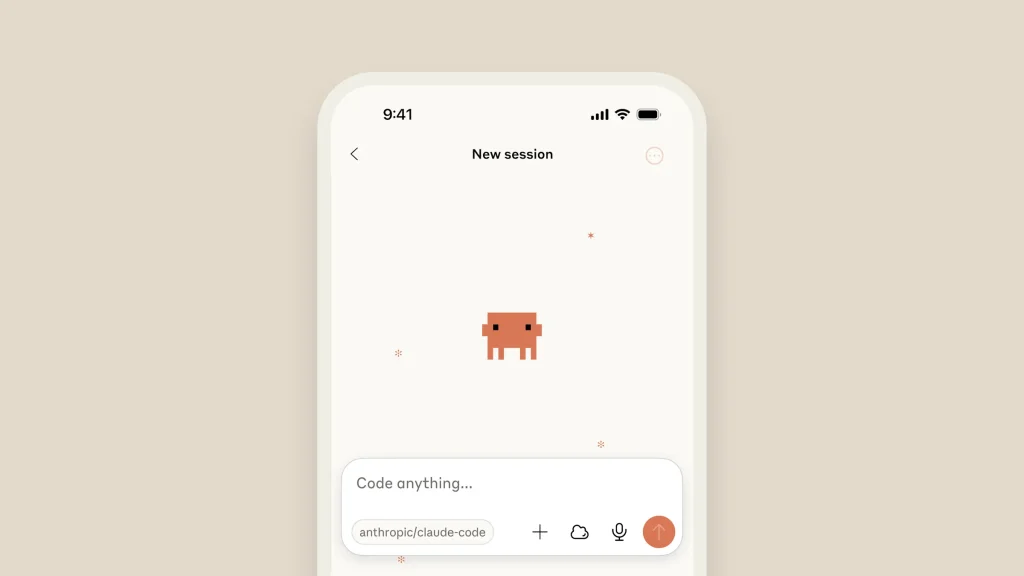
Anthropic has significantly broadened developers’ horizons by bringing its powerful agentic coding tool, Claude Code, to the web and iOS. This change turns it from a command-line tool that only works on terminals into a more flexible platform that lets developers do coding tasks right from their browser or even on the go from their phones.
Now, in a research preview for Pro and Team users, this web-based version enables a new way of working by running tasks on Anthropic-managed cloud infrastructure. The tool is perfect for handling multiple bugs, routine fixes, and development tasks across different repositories, all from a single interface. This addition of web and mobile is one of many big improvements that will make Claude Code a more independent and flexible partner in the development lifecycle. The core terminal interface has also been updated to version 2.0.
It now offers better status visibility and a searchable prompt history, making it easier to track your progress and reuse commands. A new native VS Code extension also brings the Claude Code experience right into the Integrated Development Environment (IDE). Developers can see Claude’s proposed changes in real time with inline diffs in a dedicated sidebar panel.

Working Smarter with Mobile and the Cloud Claude Code
The introduction of Claude Code on the web changes the way developers work on certain tasks in a big way. Users can now link their GitHub repositories, explain what they need, and start coding sessions without ever opening a terminal. Each of these cloud sessions runs in its own sandbox environment, separate from the rest of the network and filesystem. We carry out this process to safeguard codes and credentials. A secure proxy service handles all Git interactions, so Claude can only connect to repositories he has permission to access.
You can set up custom network settings for tasks that need outside resources so that Claude Code can, for example, download npm packages to run tests and verify its changes. This cloud-based model excels in tasks with clear definitions and concurrent execution. As Claude works on tasks, developers can actively monitor its progress in real time. Claude, once the work is complete, Code can deliver the results swiftly.
It performs this task by automatically creating pull requests and providing clear summaries of the changes. Claude Code’s early preview for iOS devices offers developers a powerful way to manage tasks, check their progress, and learn coding concepts from anywhere. This feature shows that Anthropic is committed to a future where development isn’t tied to a single machine.
Taking on hard tasks with confidence thanks to new Autonomous Features
Anthropic has given Claude Code powerful new features that make it better at handling longer, more complex development tasks on its own, as well as new platforms. The checkpointing system is a key new feature. This feature saves the code state automatically before each change Claude makes. You can then quickly go back to a working version by pressing Escape twice or /rewind using the command.

This safety net gives developers the freedom to assign more complex refactorings or exploratory feature work to others, knowing they can always revert to a stable state if needed. When used with other advanced features for autonomous work, checkpoints become even more useful. Claude Code can now use subagents to delegate specific tasks, enabling multiple workflows to run simultaneously.
For example, one agent can create a backend API while another builds the frontend. You can set up hooks to automatically run tests after every code change or lint code before a commit. Background tasks let development servers run for long periods without getting in the way of Claude’s work on other parts of the task. These features work together to make a strong environment where Claude Code can work more independently while the developer still has full control.
The developer experience: A sneak peek
Developers in the community who have started using Claude Code say their workflows have changed significantly. Many people say it’s a life-changing tool, and some experienced engineers have even canceled their subscriptions to other AI coding assistants. People tend to think of Claude Code as a “very fast intern with a perfect memory”—someone who is eager, capable, and excellent at getting things done, but who still needs clear instructions and feedback on their work.
Claude Code can manage large codebases, understand the relationships between various project components, and even modify extensive files. One user said they were able to edit a React component that was 18,000 lines long, which has changed the way people maintain and refactor big projects.
But the learning curve is recognized. To obtain the most from Claude Code, developers say you must customize the setup. Making and updating the file CLAUDE.md in the project root is an important best practice. Claude reads this file automatically at the start of a conversation. It is a central place to keep track of project-specific commands, code style guidelines, testing procedures, and common mistakes. Updating this file after making changes to teach Claude what you like can greatly improve its performance over time.
Furthermore, the tool’s flexibility lets you customize it extensively with custom slash commands for repeated tasks and hooks that run scripts automatically after edits. This ensures the Code’s quality and formatting remain consistent.
With the addition of Claude Code to the web and iOS, along with new autonomous features, AI-assisted development is now easier to use, more integrated, and more powerful than ever. By meeting developers where they are and giving them the tools they need to delegate difficult tasks with confidence, Anthropic is making sure that Claude Code is a key tool for the future of programming.