
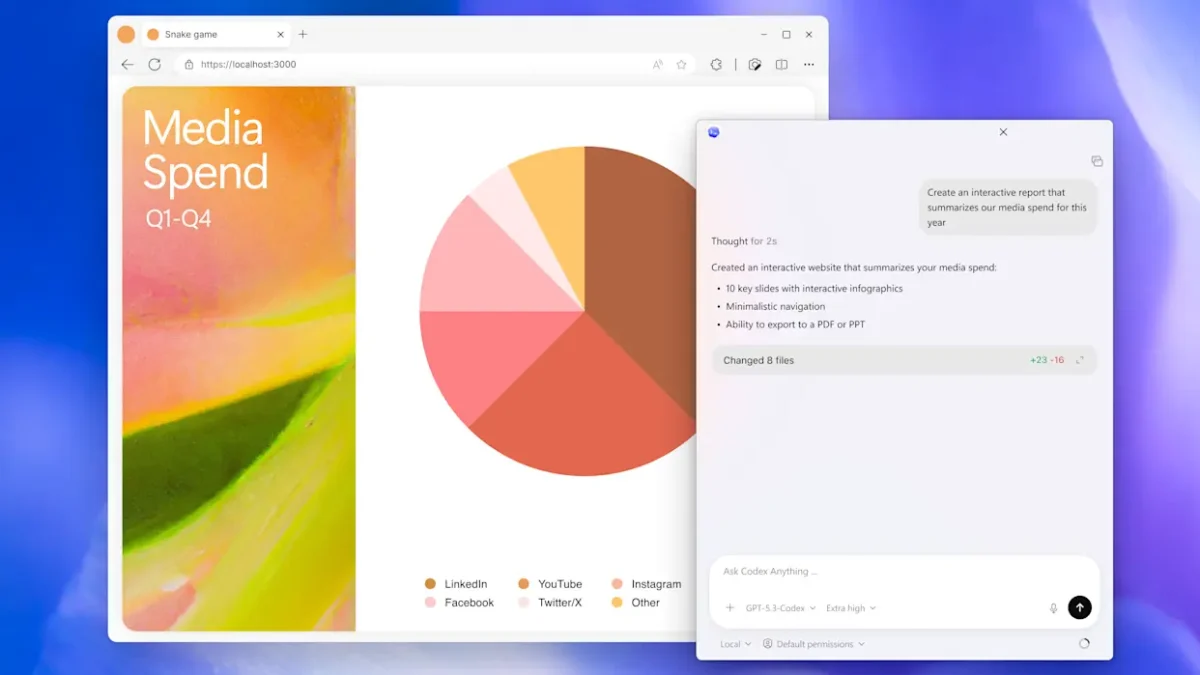

You can now download the Codex coding app for Windows. It gives programmers a strong “command center” from which they can control a lot of AI agents at once. This app can run on its own, and it lets people give AI threads difficult programming tasks.
These threads can write codes, test them, and fix them all at once. This update, which was first available for macOS, adds the best OpenAI agentic tools, which are AI systems capable of performing tasks autonomously, to Microsoft’s products. This enhancement makes sure that engineers can use the same tools no matter where they are.
Advanced Features of the Codex coding app for Windows
The Codex coding app for Windows integrates deeply with the operating system’s architecture to create a seamless experience. Unlike traditional AI chat interfaces, this software uses “Worktrees,” a feature that creates isolated copies of your code so different agents can work on separate features without causing merge conflicts.
According to OpenAI’s official documentation, the app also includes a dedicated “Skills” section, which are pre-configured scripts and instructions that help the Codex coding app connect with popular tools like Figma for UI design or Linear for project management.

The Codex coding app uses Windows sandboxing to keep the environment safe. This security feature only lets the AI see certain folders. The user has to give permission for any network operations or commands that need more permissions.
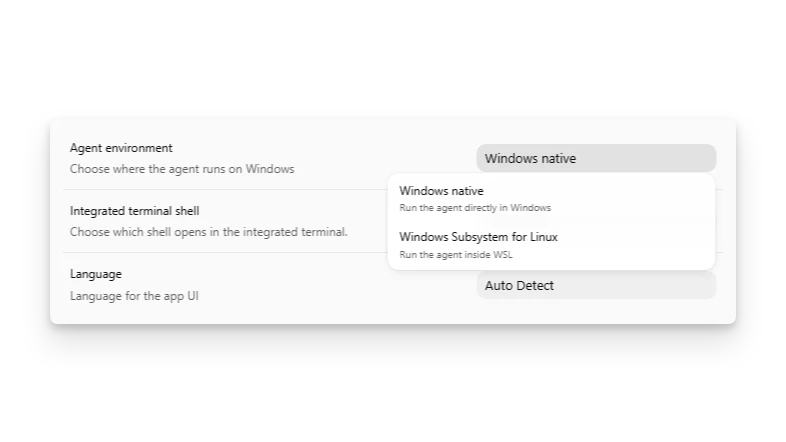
If you like Linux, the app also works excellently with the Windows Subsystem for Linux (WSL2). This flexibility makes it simple for developers to switch their integrated terminal and agents between Linux and native PowerShell. This means that you can use the Codex coding app with any set of tools.
Maximizing Productivity with the Codex coding App Automations
One of the most significant advantages of the Codex coding app is its ability to handle “automations.” These are essentially scheduled prompts that can run in the background to handle repetitive chores like daily bug triaging, summarizing CI/CD failures, or creating release briefs.
According to a report by PCWorld, the application is designed to move beyond simple code suggestions toward full-scale task delegation. By using the Codex coding app, developers can spend less time on manual reviews and more time on high-level architecture while the AI handles the implementation.
The Codex app is useful for a lot of people, even those who have ChatGPT Plus, Pro, Business, or Enterprise plans. OpenAI has also given ChatGPT Free and Go users limited-time access to get more people to use agentic workflows.
Because the software works with your OpenAI account, your session history stays the same on all of your devices. This means that you can start a project on a Mac and then pick up right where you left off on the Codex coding app for Windows without losing any progress or context.
Key benefits of the Codex App for Developers
The shift from a single AI assistant to a coordinated team of agents represents a fundamental change in software development. The coding app is tailored for general readers and tech enthusiasts who want to simplify the complexities of modern coding. By focusing on parallel execution and safety, the app helps users maintain a high-speed workflow.
- Parallel Tasking: Parallel Tasking lets you run more than one agent at a time to work on different parts of a project at the same time.
- Seamless Git Integration: You can use built-in tools to look at diffs, leave comments, and open pull requests right from the app.
- Enhanced Safety: The OS-level sandbox makes sure that the AI can only do what you give it permission to do.
- Customizable Personalities: You can change the behavior and intensity of the agents to fit your own coding style.
- Automated QA: Automated QA lets you schedule agents to run tests and find bugs while you’re not at your desk.
FAQs
Q: Can I use the Codex coding app for free?
ChatGPT Plus, Pro, Business, and Enterprise subscriptions all come with the Codex coding app. OpenAI is also letting ChatGPT Free and Go users try out the new agent-based workflow for a short time.
Q: Does the Codex coding app work with WSL2 on Windows?
Yes, the Codex coding app works perfectly with the Windows Subsystem for Linux. Developers can set up the agent and the built-in terminal to work inside WSL2 while still using the Windows interface.
Conclusion: Windows developers can now fully use the Codex coding app to easily automate and grow their software projects thanks to this special software.