
Google Maps has begun a major redesign of its settings menu for Android users. The update makes it easier to find options by replacing a long, messy list with a modern, organized interface.
Over time, the old Google Maps settings screen had become more and more difficult to use. Menus and toggle switches were added to an extensive list that required a lot of scrolling as new features were added. Some users thought this layout was messy and not very useful, so it has been changed.
Google Maps for Android has a new key control structure
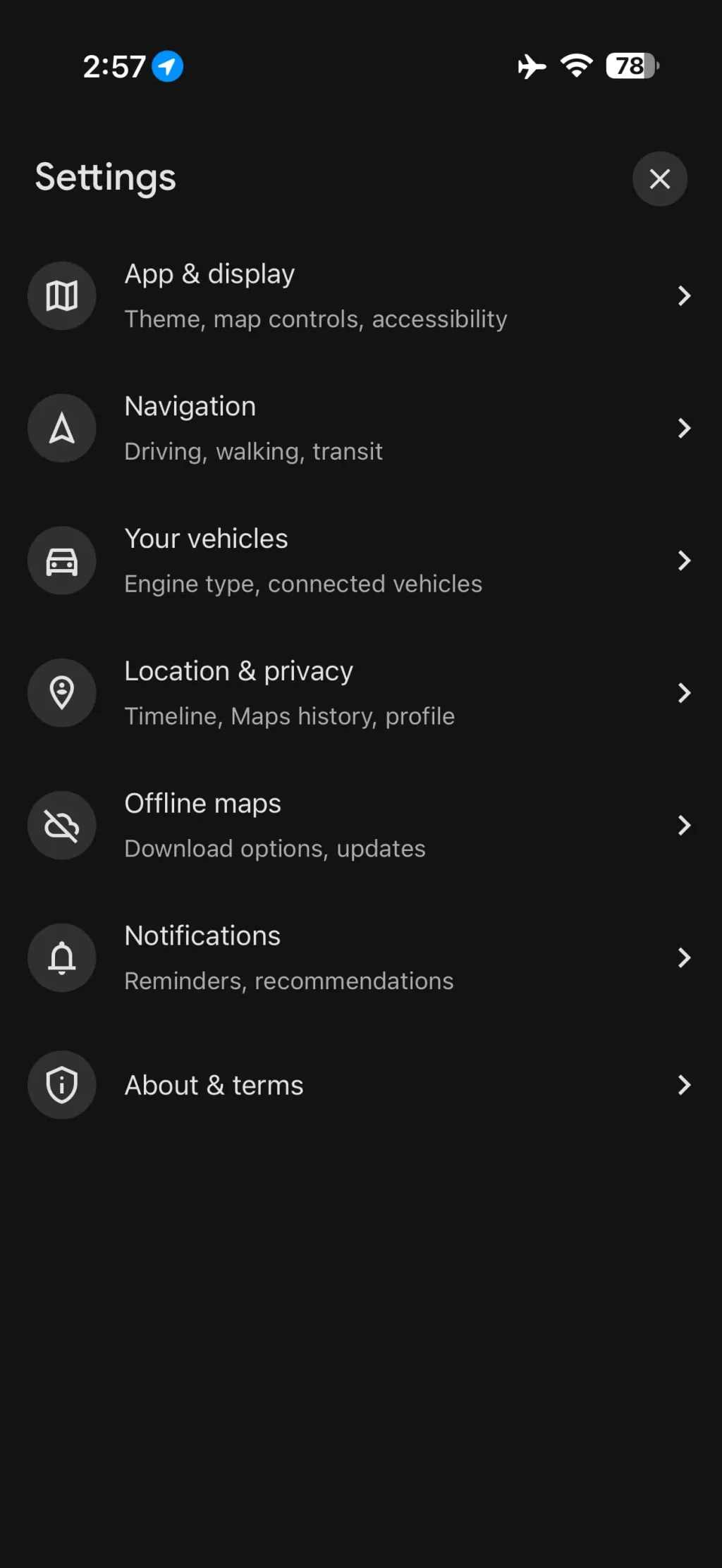
The main change in this update is that all of the settings are now grouped into seven separate, high-level categories. Each category has a clear icon and a short label that describes it. This makes it easier for users to find the controls they need.
The new top-level menus are:
- App & display: Controls for theme, map display, and accessibility features.
- Navigation: Separate settings for driving, walking, and transit guidance.
- Your vehicles: Options for engine type and connected vehicle services.
- Location & privacy: Centralized management for timeline, map history, and profile privacy.
- Offline maps: Settings related to downloading and updating offline map areas.
- Notifications: Preferences for reminders and recommendations.
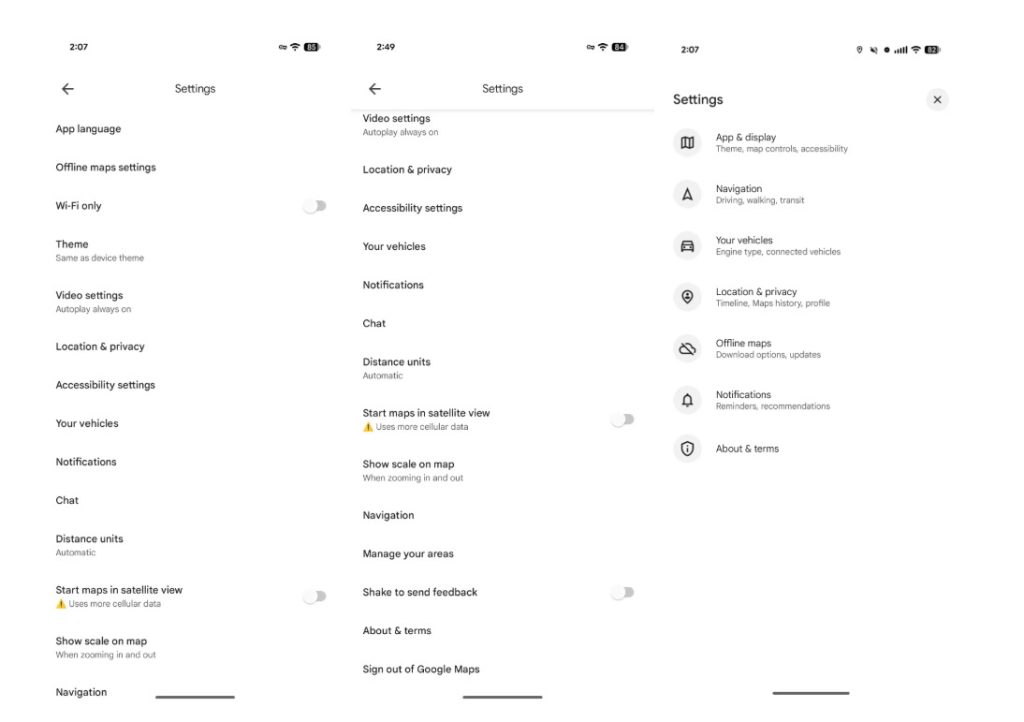
This new structure brings together similar preferences that were spread out before. Some menus, like “Navigation” and “Offline maps,” still have the same internal options, but the new categorization makes it much easier for all Google Maps users to find what they need.
Rollout status and Platform availability
As part of a server-side update that comes with Google Maps version 25.49 on the stable channel, this new interface is now being rolled out to users. Not all Android users can get the update yet. It is being rolled out slowly.
Google Maps for iOS is also getting a similar update to its settings. The iPhone app, on the other hand, already had a different and generally cleaner settings design than the older Android version. This update is therefore more important for Android device owners.
Disclaimer: This article is only for informational purposes and is based on information that is available. The availability of features and the details of the interface may differ.