
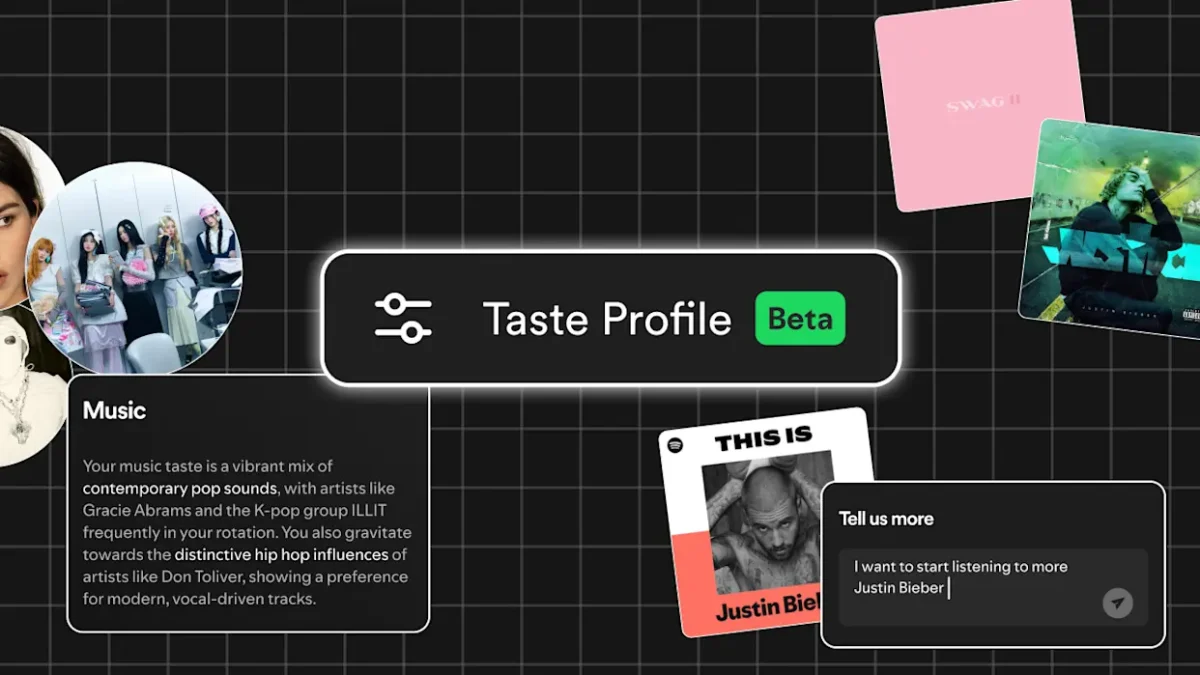

Taste profile settings on Spotify are receiving a major update that finally gives listeners direct control over the music the app recommends to them. This new tool allows you to peek under the hood of the algorithm and see exactly which artists and genres are shaping your daily mixes and personalized playlists.
Taste profile adjustments are perfect for those who want to clean up their musical data after sharing an account or going through a short-lived phase. Instead of letting a few weeks of white noise or children’s music ruin your Discover Weekly, you can now manually adjust your settings to ensure your recommendations remain accurate to your actual interests.
Master your music recommendations with the new taste profile tools
For years, Spotify users have asked for a way to “fix” an algorithm that has gone off the rails. According to TechCrunch, the streaming giant is answering these requests by allowing users to see a list of the top genres and artists that influence their account. You can now choose to increase the “weight” of your favorites or tell the app to ignore certain listening habits entirely.
This is a significant step up from the previous “Exclude from your Taste Profile” option. While that feature allowed you to keep specific playlists from affecting your data, this new update lets you manage your data on a much broader scale.
According to The Verge, this transparency helps users understand why they are seeing specific suggestions. If you notice a genre you haven’t touched in years is still influencing your taste profile, you can simply remove its impact with a few taps.
The logic behind the Taste Profile is simple: it is a summary of your musical identity based on what you stream, save, and skip. By giving you the steering wheel, Spotify is moving away from a purely automated system to a hybrid model that values user feedback. This ensures that your “Made For You” sections feel relevant and fresh rather than stuck in the past.
The main advantages of Taste Profile management on Spotify
Music algorithms are designed to learn from your habits over time. In the past, these systems were “black boxes” where you couldn’t see why a certain song appeared in your feed. The new Taste Profile tools make the process transparent. This change is a timeless improvement to user experience because as long as we use streaming services, we will need a way to keep our digital libraries organized and personalized.
Using the updated Taste Profile features offers several direct benefits for the average listener:

- Filter Out Noise: Don’t let sleep sounds, rain sounds, or kids’ music take over your “wrapped” and daily recommendations.
- Algorithm Refresh: You can instantly revitalize your recommendations by removing artists you’ve grown tired of.
- Enhanced Accuracy: Help the app recognize that your five-minute experimentation with a new genre was not a long-term change to your taste profile, but rather a fleeting interest.
- Privacy and Control: Find out more about how your data is used to categorize your listening style.
According to Engadget, this rollout is part of a larger effort by Spotify to keep users engaged as competition from Apple Music and YouTube Music grows. By offering more granular control over your taste profile, Spotify is betting that a more accurate algorithm will keep users from jumping to other platforms.
FAQs
Q: How do I get to the settings for my Spotify Taste Profile?
You can find these choices in the “Privacy” or “Data” sections of your account settings. There, the app shows you the genres and artists that are currently affecting your recommendations.
Q: If I take an artist out of my taste profile, does that mean they are gone from my library?
No, taking an artist off of your Taste Profile doesn’t stop the algorithm from using that artist to suggest new music. Your playlists and songs that you’ve saved are still there.
Q: Will these changes have an effect on my Spotify Wrapped at the end of the year?
Yes. Your taste profile tells the app what you like, so if you take out certain genres or artists, they won’t show up as your “top” results in your year-end summary.
In the end, these new tools are a step toward giving users more control over their listening experience. Taking the time to change your Taste Profile will help keep Spotify a place where you can find the music you love. If you don’t, it will just be a bunch of random clicks and noise in the background.