
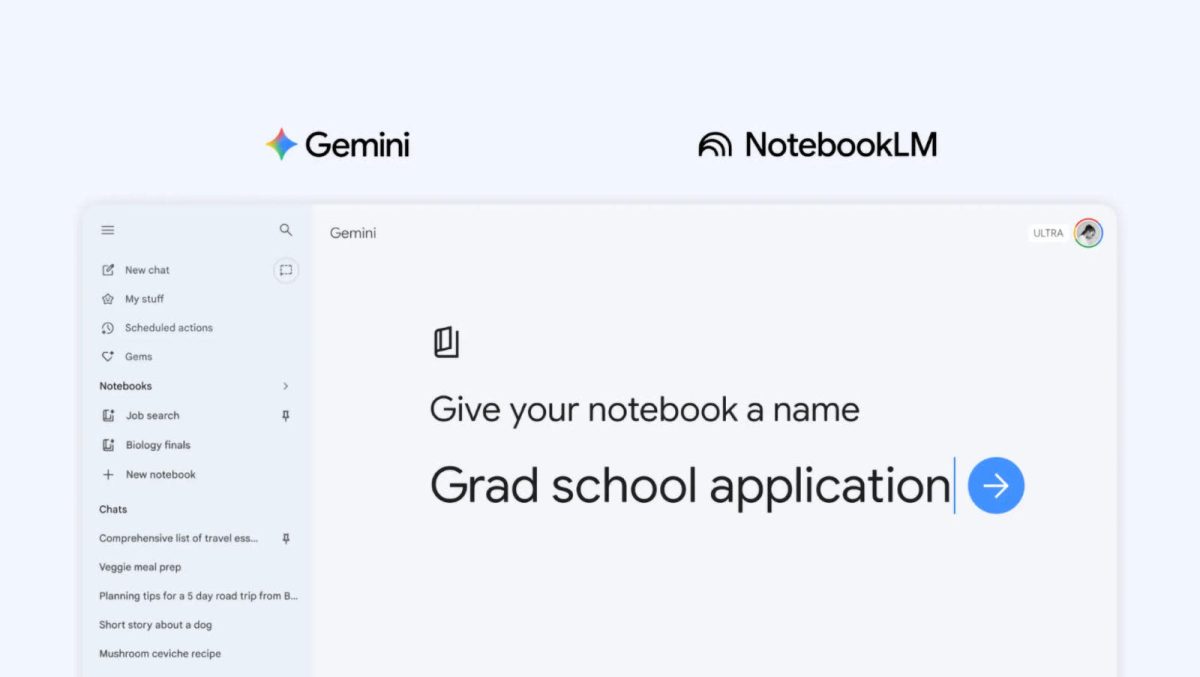

Google has made digital research easier by adding NotebookLM, its AI research assistant, right into the Gemini app. With the update announced on April 8, 2026, users can now find a new “notebooks” section in Gemini’s side panel. This feature lets people create and manage project-specific knowledge bases without switching between apps.
According to Engadget, the integration builds on an earlier update from late 2025 that allowed Gemini to reference existing NotebookLM sources. Now, NotebookLM is fully embedded, with two-way syncing between the tools. For users, this means that any source added in Gemini automatically appears in NotebookLM, and vice versa.
You can upload files from your computer or Google Drive, add website links, paste text, or pull in past Gemini conversations to build a dedicated knowledge base for a project. Google describes these notebooks as “personal knowledge bases shared across Google products, starting in Gemini”.
How does NotebookLM enhance Gemini workflows?
NotebookLM brings useful improvements for Gemini users. It makes it easier to manage chats, files, and research materials for different projects. In the past, Gemini stored conversations in single threads, making it harder to organize information for complex tasks. With the new notebooks feature, all materials for a topic stay together. Here are the main benefits for users:
- Organized projects: Create a dedicated notebook for each topic — studying for exams, planning a trip, or researching a new hobby. Add relevant files, links, and past chats to keep everything in one place.
- Two-way syncing: Sources added in Gemini appear instantly in NotebookLM, so you can use NotebookLM’s unique features like Video Overviews and Infographics even if you started the notebook in Gemini.
- Custom instructions: Tell Gemini how to respond and what tone to use for each notebook, with the option to enable or disable “notebook memory”.
- Seamless source management: Gemini uses your handpicked sources alongside its tools and web search to provide more accurate, context-aware answers.
Google also notes that all Gemini chats now include an “Add to notebook” option in the overflow menu. Conversations you have in a notebook appear as sources in NotebookLM, creating a continuous feedback loop between the two apps. The feature is rolling out first to Google AI Plus, Pro, and Ultra subscribers on the web.
According to 9to5Google, Google plans to bring notebooks to mobile devices, more European countries, and free users in the coming weeks. The feature is not available to users under 18 or to Workspace and Education accounts at launch.
In conclusion, integrating NotebookLM into Gemini transforms the app from a simple chatbot into a powerful project management tool, enabling users to organize, research, and create in a single, seamless environment.


